Settlements
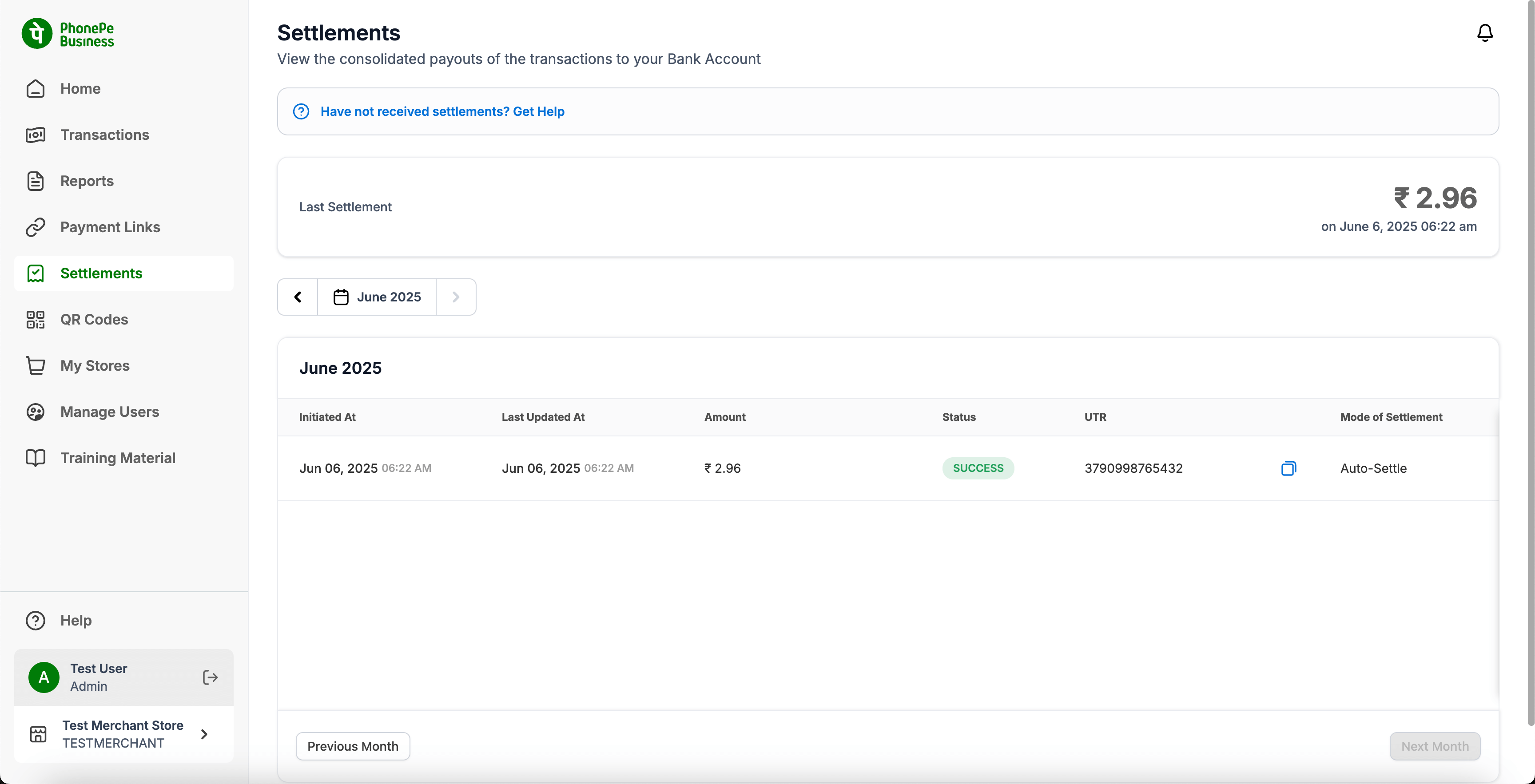
The “Settlements” page provides a clear overview of all consolidated payouts of your transactions directly to your registered bank account. This page is essential for reconciling the funds received from your PhonePe transactions with your bank statements.
This screen allow merchants to track, verify, and understand the status and details of funds settled into their bank accounts from PhonePe transactions.
Key Elements & Sections:
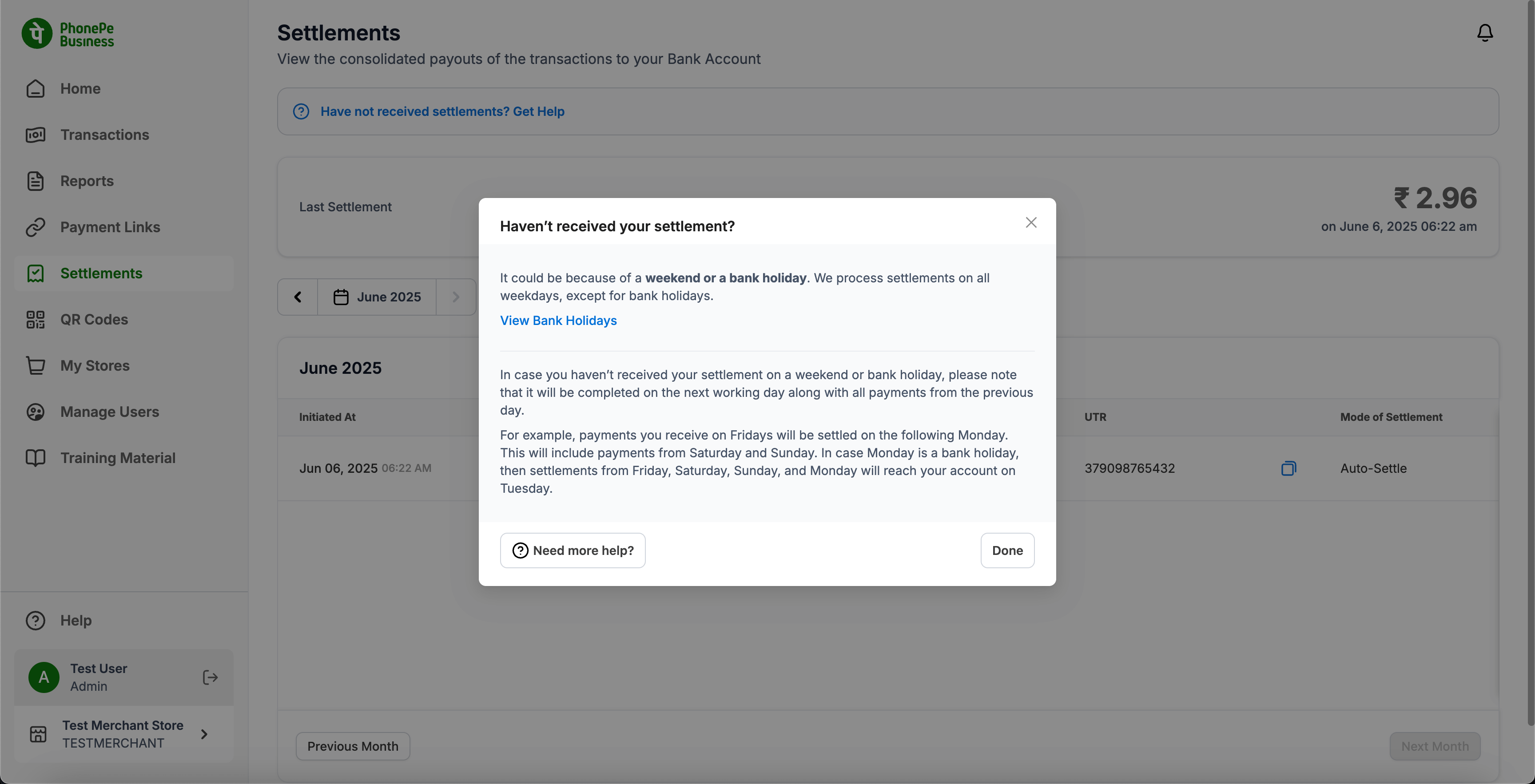
- “Haven’t received settlements? Get Help” Banner:
- A prominent banner at the top of the page designed to address common queries regarding delayed settlements.
- Clicking “Get Help” opens a helpful modal (described below).
- Key Information:
- Reason for Delay: Explains that settlements are processed on all weekdays, except for bank holidays and weekends.
- Weekend/Holiday Processing: Clarifies that payments received on Friday, Saturday, and Sunday will be settled on the following Monday (or Tuesday if Monday is a bank holiday).
- View Bank Holidays Link: A clickable link to view a list of relevant bank holidays, which can help you anticipate settlement timelines.
- “Need more help?” Button: If the provided information doesn’t resolve your query, this button likely directs you to further support options.
- “Done” Button: Closes the modal.
- Last Settlement Summary:
- Displays a quick summary of your most recent settlement.
- Shows the Amount and the Date and Time of the last successful payout.
- Monthly Navigation:
- Allows you to navigate through different months to view past settlements.
- Displays the currently selected month (e.g., “June 2025”).
- Use the left and right arrow icons to move to the previous or next month.
- “Previous Month” and “Next Month” buttons at the bottom also provide navigation.
- Settlement List Table:
- Displays a chronological list of your settlements for the selected month.
- Columns include:
- Initiated At: The date and time when the settlement process began.
- Last Updated At: The date and time of the last status update for the settlement.
- Amount: The total amount of funds included in that specific settlement payout.
- Status: The current status of the settlement (e.g., “SUCCESS”).
- UTR: The Unique Transaction Reference number for the bank transfer. (Note: There’s a copy icon next to it for easy copying).
- Mode of Settlement: How the settlement was processed (e.g., “Auto-Settle”).
- Clicking on any row in this table opens the “Settlement Details” sidebar.
- Settlement Details Sidebar:
- To offer a detailed view of an individual settlement, including its status, amount, and the underlying financial breakdown.
Relevant Screenshots: