
Initiate Payment
This API is used to initiate a Payment Gateway Checkout session by providing transaction details such as the amount, order ID, and redirect URLs.
Once the request is successfully created, a checkout session is generated where the customer is redirected to complete the payment.
API Endpoints
| Environment | HTTP Method | API |
| Sandbox | POST | https://api-preprod.phonepe.com/apis/pg-sandbox/checkout/v2/pay |
| Production | POST | https://api.phonepe.com/apis/pg/checkout/v2/pay |
You can also test this API request directly in Postman for a quick and easy integration check.
Request
| Header Name | Header Value |
| Content-Type | application/json |
| Authorization | O-Bearer <merchant-auth-token> |
Request
{
  "merchantOrderId": "TX123653456743456",
  "amount": 1000,
  "expireAfter": 1200,
  "paymentFlow": {
    "type": "PG_CHECKOUT",
    "message": "Payment message used for collect requests",
    "merchantUrls": {
      "redirectUrl": ""
    }
  },
  "disablePaymentRetry": true,
  "metaInfo": {
    "udf1": "additional-information-1",
    "udf2": "additional-information-2",
    "udf3": "additional-information-3",
    "udf4": "additional-information-4",
    "udf5": "additional-information-5",
    "udf6": "additional-information-6",
    "udf7": "additional-information-7",
    "udf8": "additional-information-8",
    "udf9": "additional-information-9",
    "udf10": "additional-information-10",
    "udf11": "additional-information-11",
    "udf12": "additional-information-12",
    "udf13": "additional-information-13",
    "udf14": "additional-information-14",
    "udf15": "additional-information-15"
  }
}
Prefill user’s Phone Number
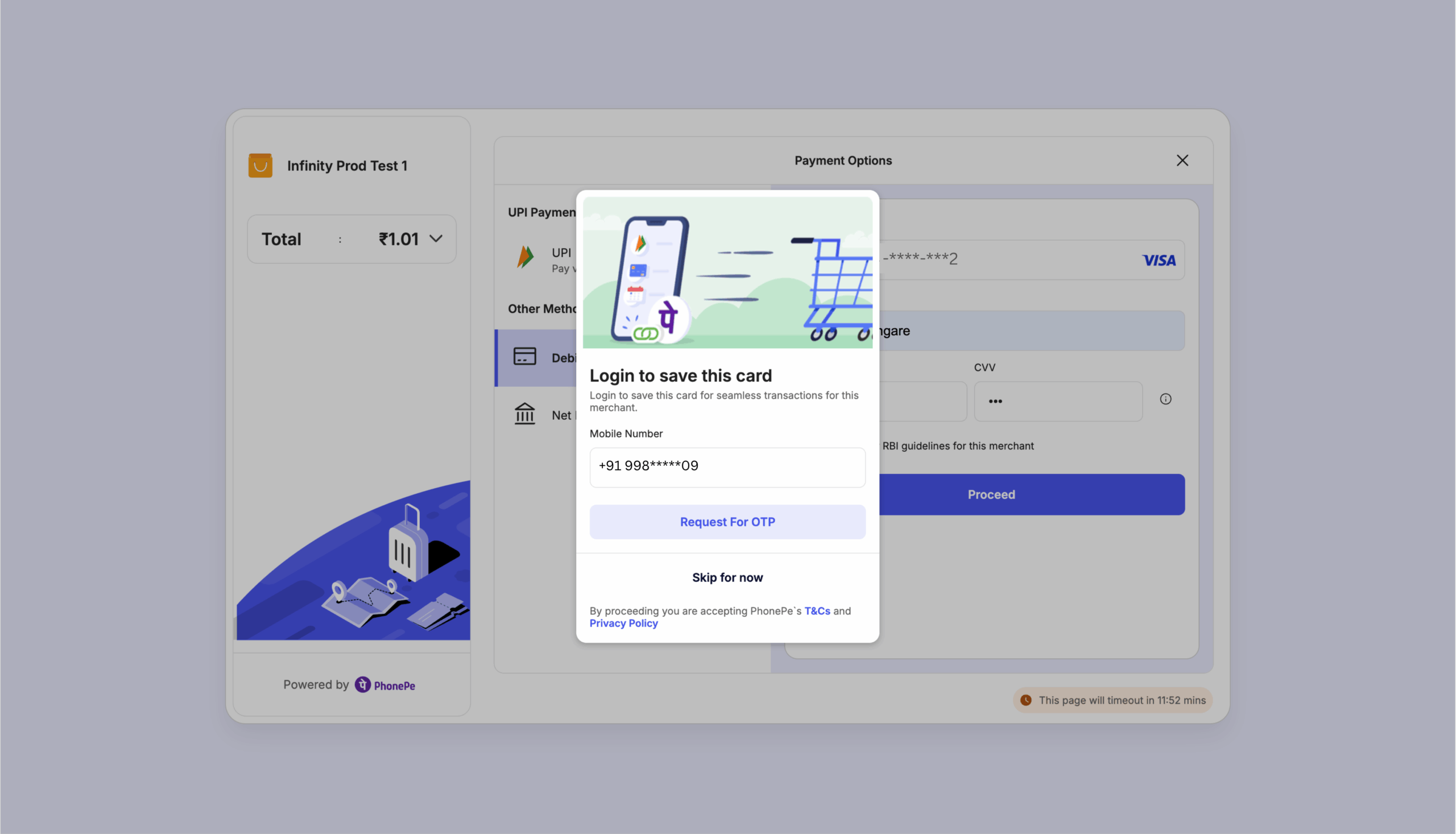
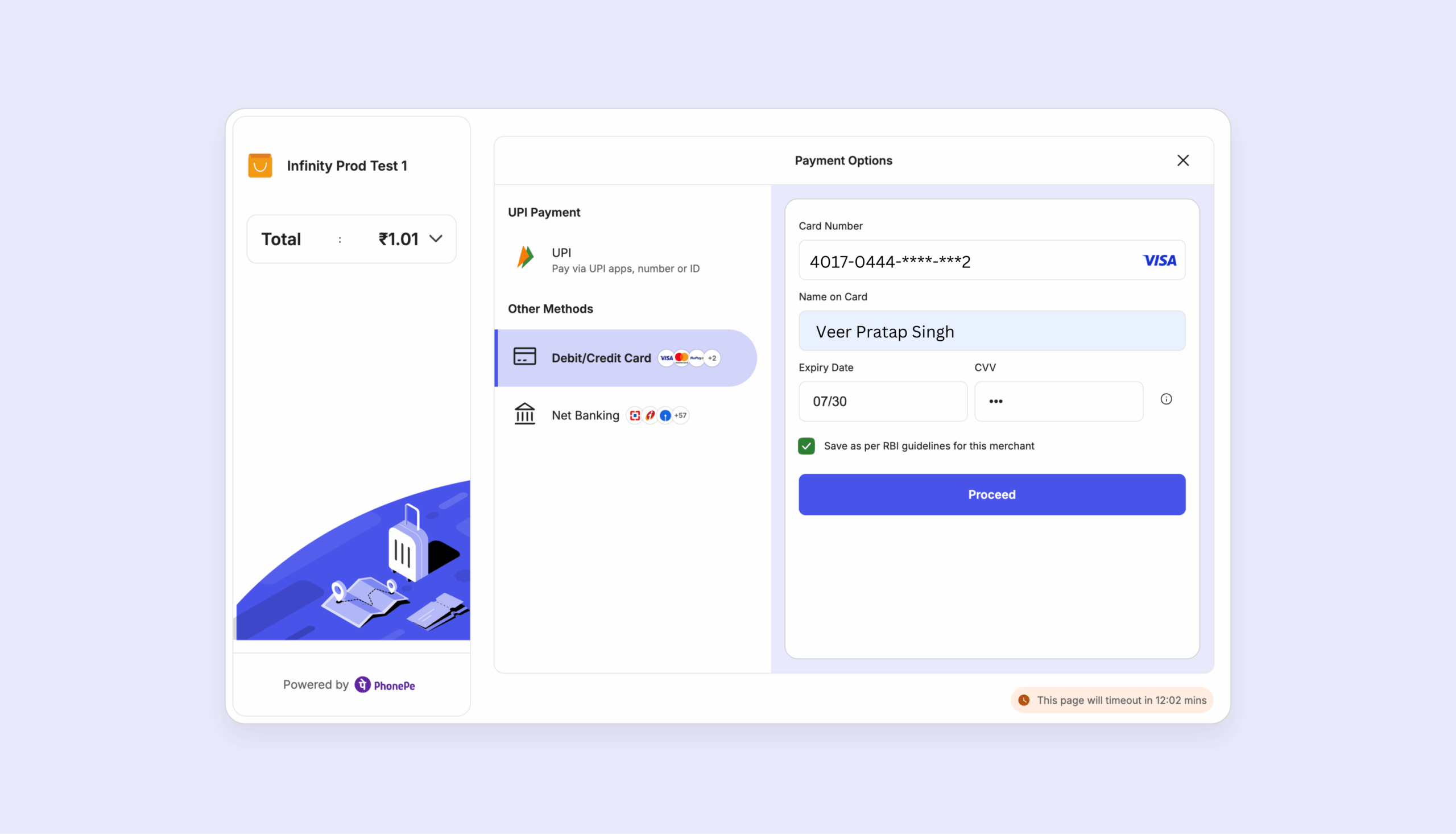
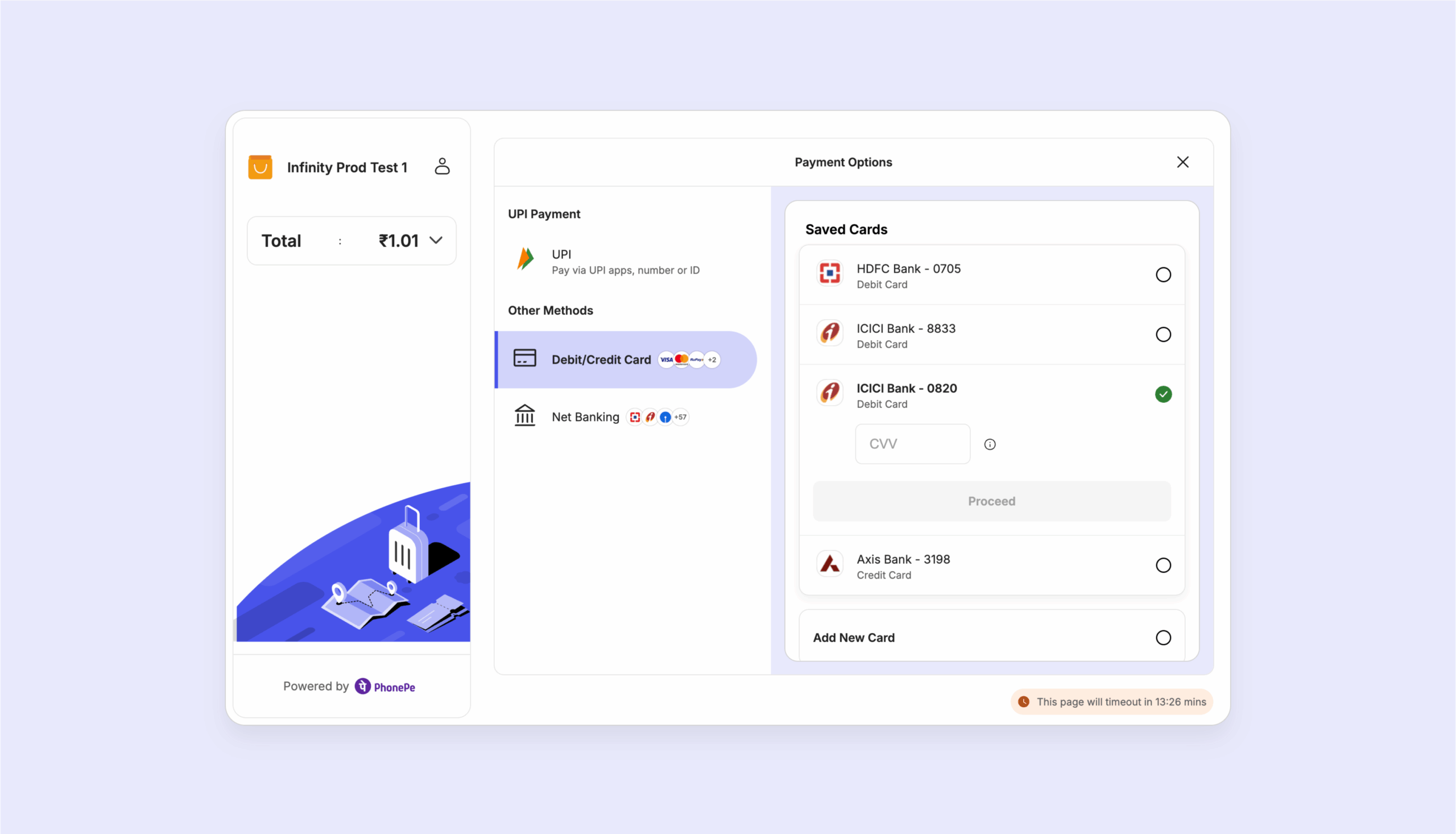
This feature allows you to streamline the login process by pre-populating a user’s mobile number during the Standard Checkout flow.
If you already have a user’s phone number stored in your system, you can pass it directly within the checkout request. For new or non-logged-in users, this number will automatically appear in the login field, reducing friction and helping them complete their purchase faster.
{
  "merchantOrderId": "TX123653456743456",
  "amount": 1000,
  "expireAfter": 1200,
  "paymentFlow": {
    "type": "PG_CHECKOUT",
    "message": "Payment message used for collect requests",
    "merchantUrls": {
      "redirectUrl": ""
    }
  },
  "prefillUserLoginDetails": {
    "phoneNumber": "+91 998*****09" //the ph-no can be written like this as well: 998*****09, +91998*****09
  },
  "disablePaymentRetry": true,
  "metaInfo": {
    "udf1": "additional-information-1",
    "udf2": "additional-information-2",
    "udf3": "additional-information-3",
    "udf4": "additional-information-4",
    "udf5": "additional-information-5",
    "udf6": "additional-information-6",
    "udf7": "additional-information-7",
    "udf8": "additional-information-8",
    "udf9": "additional-information-9",
    "udf10": "additional-information-10",
    "udf11": "additional-information-11",
    "udf12": "additional-information-12",
    "udf13": "additional-information-13",
    "udf14": "additional-information-14",
    "udf15": "additional-information-15"
  }
}| Parameter Name | Data Type | Description | Mandatory (Yes/No) | Constraints |
merchantOrderId | String | Unique merchant order ID generated by you | Yes | Max Length = 63 characters No Special characters are allowed except underscore “_” and hyphen “-“ |
amount | Long | The total amount for the order, in paisa (e.g., ₹10 = 1000 paisa) | Yes | Minimum value = 100 |
| expireAfter | Long | The time (in seconds) after which the order will expire. If not provided, the default value will be used | No | Minimum value = 300, maximum value = 3600 (in seconds) |
metaInfo | Object | Merchant defined meta info to store additional information. same data will be returned in status and callback response. | No | • For udf1 to udf10, there is no constraint and Maximum length for Udf1-10 = 256 characters • For udf11 to udf15, alphanumeric values with _-+@. are allowed and Maximum length for Udf11-15 = 50 characters • It is mandatory to keep the parameter names udf1, udf2, etc., exactly as they are in the metainfo block. Renaming these key values will result in a production error. |
paymentFlow | Object | Additional details required by this flow | Yes | |
paymentFlow.type | String | Type of payment flow | Yes | Valued allowed=[PG_CHECKOUT] |
paymentFlow.message | String | Payment message used for collect requests | Yes | |
paymentFlow.merchantUrls | Object | The object for storing different merchant URLs | No | |
paymentFlow.merchantUrls.redirectUrl | String | URL where the user will be redirected after a successful/failed payment | Yes |
Response
{
    "orderId": "OMO123456789",
    "state": "PENDING",
    "expireAt": 1703756259307,
    "redirectUrl": "https://mercury-uat.phonepe.com/transact/uat_v2?token=eyJhbGciOiJIUzI1NiIsInR5cCI6IkpXVCJ9.eyJleHBpcmVzT24iOjE3MjgyNTk1MzE0NzgsIm1lcmNoYW50SWQiOiJWUlVBVCIsIm1lcmNoYW50T3JkZXJJZCI6Ik1PLTlkMC1hNmMyYmY1ZWM4MmUifQ.Trj5fub__kJpQhzOlJttXl2UPruHE7fsbH5QWj-iy6E"
}{
"code": "BAD_REQUEST",
"message": "Please check the inputs you have provided."
}{
"code": "INTERNAL_SERVER_ERROR",
"message": "There is an error trying to process your transaction at the moment. Please try again in a while."
}| Field Name | Data Type | Description |
orderId | String | Payment Gateway generated internal order ID. |
state | String | State of the order created, expected value is PENDING. |
expiryAt | Long | Order expiry date in epoch. |
redirectUrl | String | URL where you are supposed to redirect the user to complete payment. |
Try a Sample Create Payment Request!
What’s Next?
After successfully creating a payment request, the next step is to initiate the payment process on your checkout page.
Head over to the next section to learn how to launch the PayPage and complete the payment flow.


