
Sandbox Setup & Go-Live
The UAT Sandbox allows you to thoroughly test your end-to-end integration by simulating payment flows. It maps APIs to predefined sample responses, enabling you to test scenarios like Success, Failure, and Pending without relying on real transactions.
Environment Setup
Update Host URL
Point your API requests to the UAT Sandbox environment:
https://api-preprod.phonepe.com/apis/pg-sandboxConfigure Webhooks
To test subscription state changes (Pause, Unpause, Revoke), you must Configure the Webhook in your PhonePe Business Dashboard.
Install the Test App
Download the PhonePe Simulator app to verify your UAT flows.
- Android: Download the APK [Package Name:
com.phonepe.simulator] - iOS: Share your Apple ID email with the PhonePe Integration Team via your integration thread to receive a TestFlight/Firebase invite.
Configuring Test Templates
Before initiating any API calls, you must configure the simulator app to return your desired test outcome (Success, Failure, etc.).
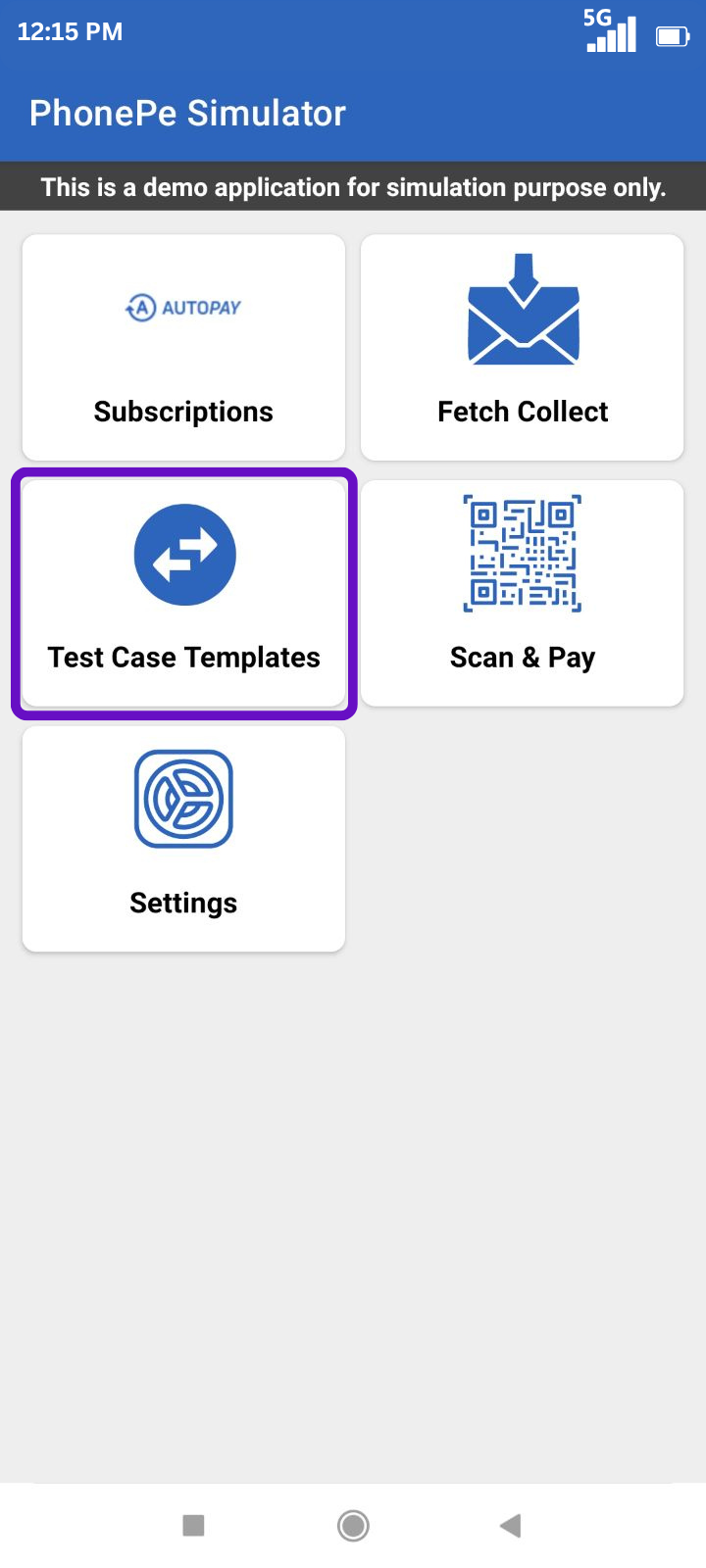
- Open Test Case Templates: Launch the PhonePe UAT Test App and click the Test Case Templates button.
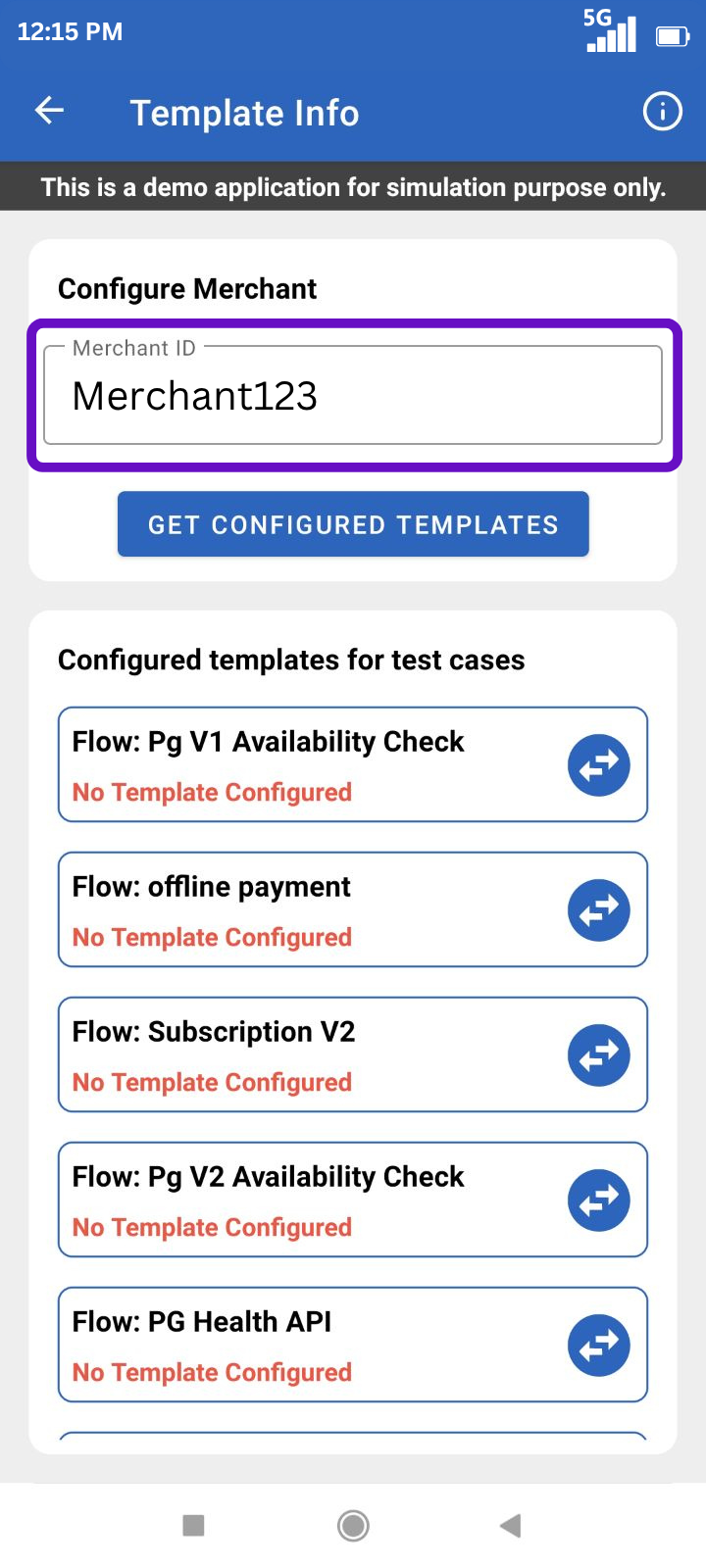
- Fetch Current Templates: Enter your Merchant ID and click GET CONFIGURED TEMPLATES. (If nothing is set, it will return “No Template Configured”).
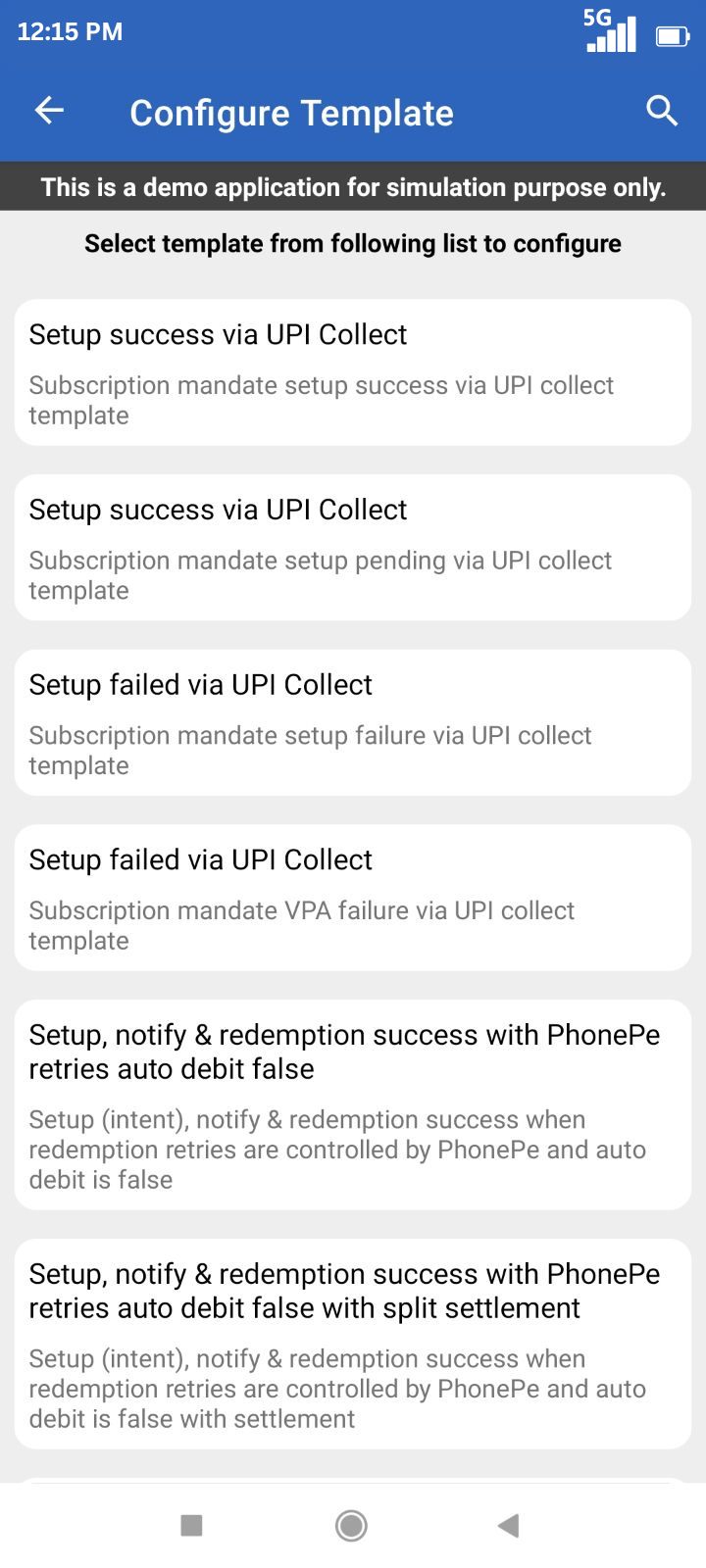
- Select Flow:
- For Setup scenarios: Select the template from B2B Payment Links.
- For Redemption scenarios: Select the template from Subscription V2.
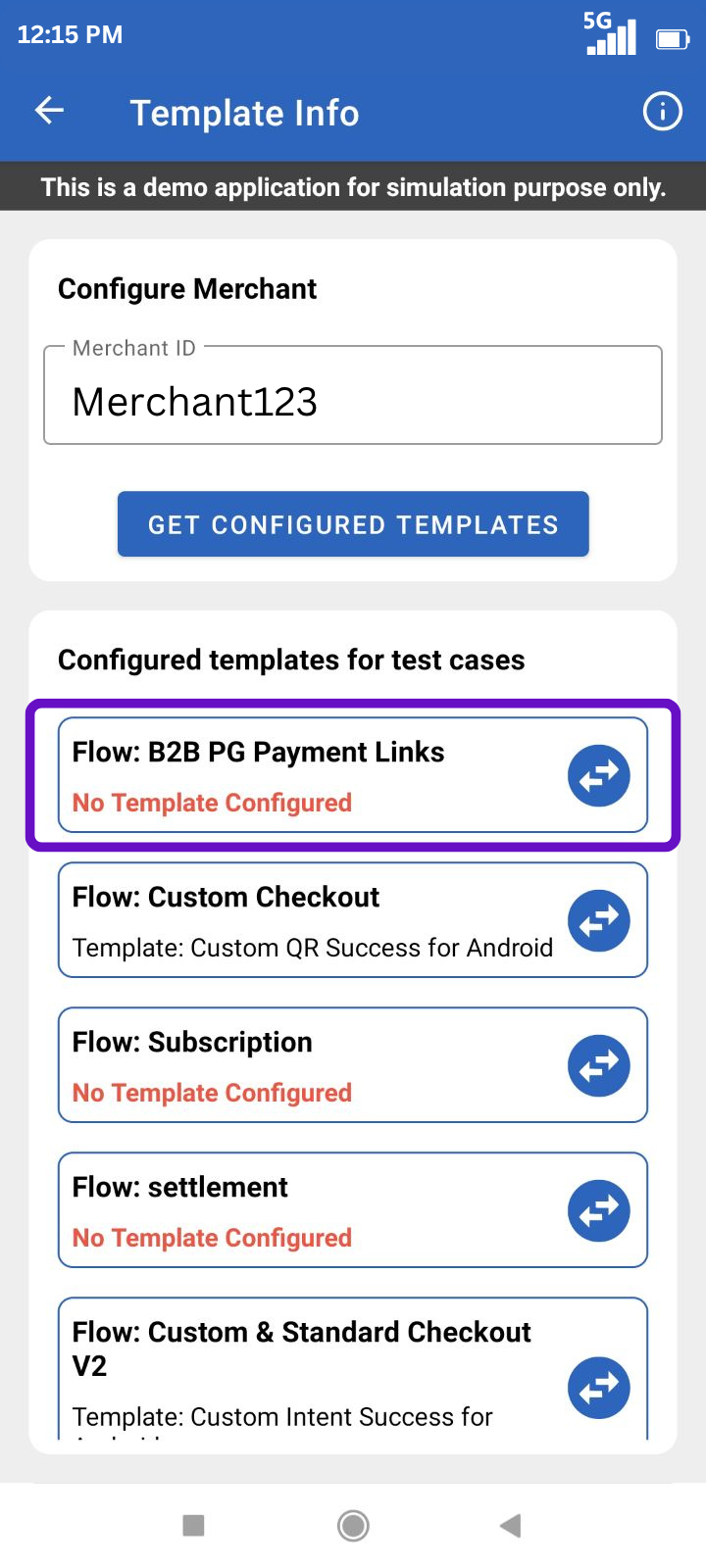
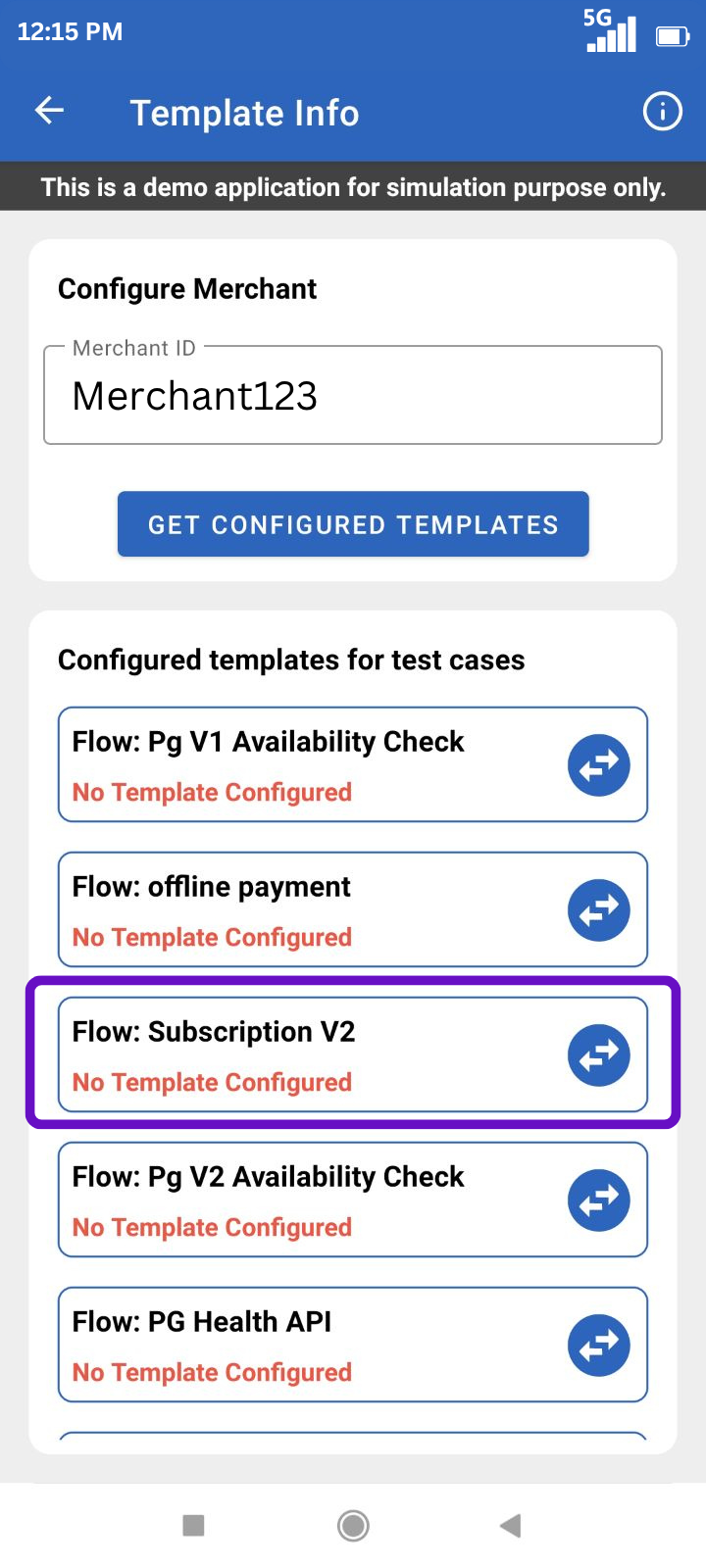
- Apply the Template: Select the specific Success, Failure, or Pending template you want to test (refer to the tables below) and save.
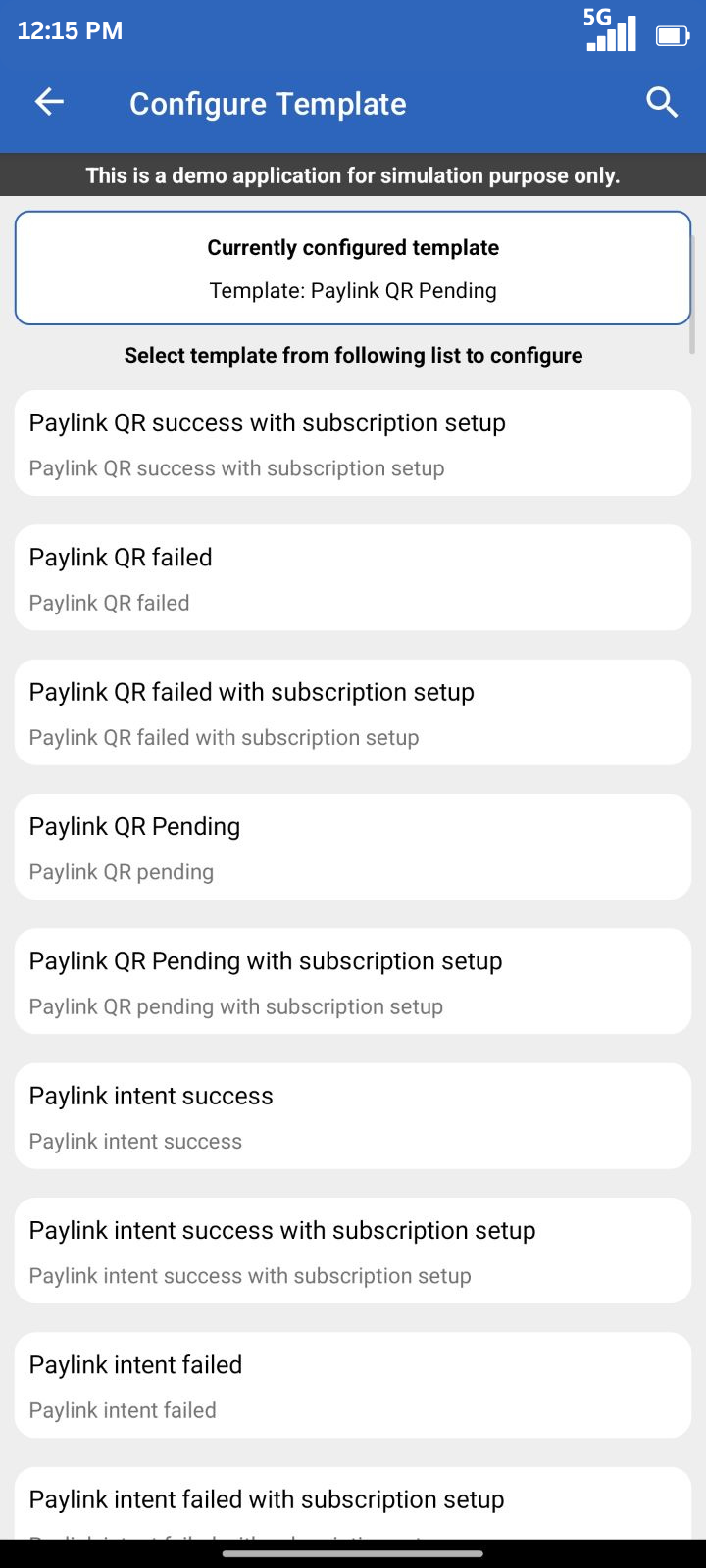
For Setup Scenarios:
Template for Setup Success
Paylink QR: "Paylink QR success with subscription setup"
Paylink intent: "Paylink intent success with subscription setup"
Template for Setup Pending
Paylink QR: "Paylink QR Pending with subscription setup"
Paylink intent: "Paylink intent Pending with subscription setup"
Template for Setup Failed
Paylink QR: "Paylink QR Failed with subscription setup"
Paylink intent: "Paylink Failed Pending with subscription setup"
For Redemption Scenario:
Template for Setup, notify and redemption
For Success (Auto Debit - True): "Setup, notify & redemption success with PhonePe retries auto debit true"
For Success (Auto Debit - False): "Setup, notify & redemption success with PhonePe retries auto debit false"
Template for Redemption Failure
For Redemption Failure: "Setup, notify success & redemption failure with PhonePe retries auto debit false"
For Redemption Failure: "Setup, notify success & redemption failure with merchant controlled retries"
Template for Redemption Failure
For Notification Failure: "Setup success & notify failure"
For Redemption Failure: "Redemption failure with PhonePe retries & auto debit true"


